
The complete specification
Every feature.
No asterisks.
One Voice Mail is the self-hosted replacement for Google Workspace and Microsoft 365. This is the detailed list: what Mail does, what Mail Desktop adds, what the twenty apps share, how security and administration work, and the concrete limits behind it all. Where a capability depends on a role, an installation option or a phase, it says so.
01 — Mail
The inbox, rebuilt around the conversation.
Gmail-class ergonomics without the advertising model: conversations, labels, folders, powerful search, scheduled sending, snooze, filters, screeners and a reading experience that scales from ten messages to a decade of history.
Everything below is in the web app, the installed PWA and — when signed in — Mail Desktop.
| Area | Detailed capability |
|---|---|
| Conversation model | Messages that answer each other are one conversation, one row. Archive, delete, move, label, snooze, mute or mark read once and it applies to every message; the star stays per message. A conversation lives in exactly one place (Inbox, Archive, a folder, Spam or Trash) and can carry any number of labels. Toggle conversation view Reading pane right, bottom or off |
| Triage | Archive, delete, move, label, snooze, mute, mark read or unread, star, mark important, select all, keyboard-driven actions and undo. Configurable auto-advance after archiving, row quick actions, hover actions and a full keyboard map. Undo send 5 / 10 / 20 / 30 s |
| Organisation | Labels with colours, nesting and rename; folders for IMAP-compatible structure; system views for Starred, Important, All mail, Sent, Scheduled, Drafts, Archive, Spam and Trash. Drag a conversation onto a tab or label. Labels are views, not duplicate storage. |
| Compose | Rich text, inline pictures, links, attachments by drag-and-drop, file picker or Drive; attach a Drive file as a link or a copy; templates; per-identity signatures; Cc/Bcc; pop-out and minimise; drafts saved as you type; recipient autocomplete from Contacts and recent mail. Files over 25 MB are offered as a Docs link (up to 300 MB). |
| Send controls | Send now, Schedule send (tomorrow morning/afternoon, Monday morning, or any future date and time in your profile's time zone, sent by the server even if your computer is off), Cancel send before delivery, and Undo send. Scheduled and draft messages are managed in the sidebar with counts. |
| Addresses & identities | Aliases, plus-addressing, a default From address, send-as from a verified external address (Gmail, Outlook.com and others), per-address signatures, shared-mailbox Send as and Send on behalf, and delegation of your own mailbox with per-folder limits. |
| Inbox intelligence | Category tabs for Primary, Promotions, Social, Updates and Forums (individually enabled). AI-assisted categorisation when rules do not recognise a sender. Screener holds first-time senders until you Allow or Block and choose their tab. Catch up summarises what happened while you were away. Waiting for reply tracks unanswered questions. Unsubscribe suggestions and RFC 8058 one-click unsubscribe. |
| Search | Search across sender, recipients, subject and body with Gmail-style operators: from:, to:, cc:, subject:, has:attachment, label:, in:, is:unread, is:starred, before:, after:, older_than:, newer_than:, larger:, smaller:, quotes, OR, brackets and negation. Matches are highlighted. Saved searches live in the sidebar. Search in words turns a sentence into an editable query. Spam and Trash excluded unless in:anywhere |
| Filters & rules | Server-side filters that run with your computer off and in every mail app. Conditions: From, To, Subject, has words, doesn't have, size, has attachment. Actions: label, forward, categorise, archive, star, mark read, mark important, delete or never spam. Order and reorder rules, apply to existing conversations, describe a filter in your own words, and set a vacation responder that answers only the people you choose. |
| Smart mail | Smart chips under a message: Add to Calendar, Add task, Propose times, invoice/ticket/parcel cards. Hover a sender to see their next meeting, recent mail and shared files, with Write, Search mail and Open contact. Translate a message. Read attachments with AI (pictures, scans, PDFs, invoices; save to Drive). Forgotten-attachment reminder. Tone check before sending. |
| AI in Mail | Opt-in per account. Summary above long conversations and long messages, with a “For you” section. Three smart replies, or Accept / Decline / Propose another time for invitations. Help me write (Draft, Rephrase, Shorten, Formal, Translate) based on your text and up to three earlier mails to the same person. Is this message safe? explains phishing warnings. Filters from a sentence. Search in words. Nothing is sent or changed without your confirmation. |
| Privacy & message safety | Remote pictures blocked by default and loaded through a signed image proxy. Show original headers, SPF/DKIM/DMARC results, .eml download, print, report phishing, block sender. Spam and phishing warnings. S/MIME certificates and PGP keys: sign, encrypt, verify, import/export private keys, publish public keys, sign/encrypt by default, and keep private keys in the browser behind a passphrase. |
| Shared & multiple accounts | Shared mailboxes such as support@ in the sidebar, with Read, Read and organise, Send as, Send on behalf and per-folder access. Delegation of your mailbox to a colleague. Combined inbox across accounts. Connected Gmail, Microsoft 365 and IMAP accounts. Fast account switching without re-entering passwords. |
| Offline & notifications | Installable PWA with its own window, icon, start page and automatic updates. Offline cache for the last 30 days (configurable 7–365), including inbox and 10 most-used folders, bodies and small attachments; queued sends and flags replay when online. Web push notifications with All new mail / Primary only / Important only / Off, hide-content mode, app badge, per-app notification preferences and email digests. |
| From mail to work | Turn a message into an event, a task, a Meetings item, a Docs document, a Note, a Scrapbook posting or a Meet call. Save an email as a note. Open an attachment in its editor. Print. Drag attachments to Finder or Explorer in Mail Desktop. Email a copy of a local file. Full keyboard shortcuts and screen-reader labels. |


02 — Calendar
Time, without the tab-hopping.
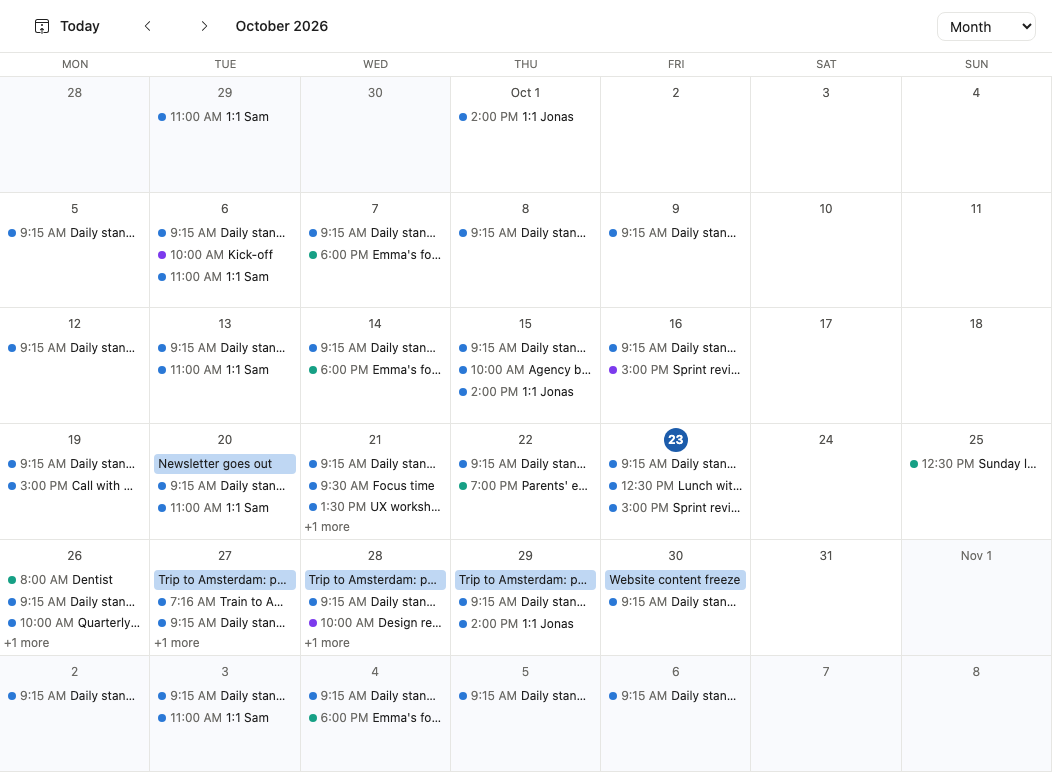
A full CalDAV calendar that stays in step with iPhone, iPad, Mac, Android and Thunderbird. Events, invitations, shared calendars, booking pages, working hours, time zones, tasks and meeting briefs live beside the mail they came from.
| Area | Detailed capability |
|---|---|
| Views | Day, week, month, year and agenda; a small month picker; multiple calendars with colours and checkboxes; week numbers; a second time zone; drag-and-drop rescheduling; click an empty slot to create; quick add in natural language (“Lunch with Marta Friday 12:30”). |
| Events | Title, start and end, all-day, repeat, calendar, guests, location, meeting link, alert, description and more options. Attach Drive files. Invite guests with free/busy visibility. Edit, duplicate, email guests or delete from the event card. |
| Recurrence | Daily, weekly, monthly, yearly and custom rules; edit this event, this and following events, or all events; exceptions and cancellations; time-zone-safe repeats. Accept, decline or propose another time for invitations. |
| Find a time | See colleagues' free/busy, find a slot that suits everyone, and let people book a time themselves with booking pages. Working hours, focus time, out-of-office and free/busy sharing outside the organisation. |
| Sharing | Share a calendar with colleagues, publish it as an ICS address, subscribe to external calendars and import ICS files. Birthdays from Contacts. CalDAV sync to Apple Calendar, Outlook, Thunderbird, Android and Linux. |
| Meetings | Draft an agenda from the mail about a meeting, create a full Meetings item, take notes, and receive a meeting brief before it starts. Add a One Voice Meet link. Tasks with due dates appear on the calendar; Reminders tasks sync over CalDAV. |
| Search & settings | Search events; default calendar; working hours; week numbers; second time zone; meeting briefs; out-of-office answers; booking pages; free/busy outside the organisation; reminder defaults. |
| Known limit | Printing and exporting a calendar as a file are not in the web app yet: use a CalDAV calendar app on your computer, or publish the calendar's address. Stated here rather than hidden. |
03 — Contacts & Notes
The people and the thoughts around your mail.
Contacts is a real CardDAV address book that syncs everywhere and shows the relationship behind each person. Notes is a fast, shareable place for checklists, pictures, files, drawings and reminders — kept in the mail account so Apple Notes sees them.
| Area | Detailed capability |
|---|---|
| Contact records | Names, email addresses, phone numbers, postal addresses, web sites, birthdays, photos, notes, groups and custom fields. Add, edit, delete and search from a list or a detail card. Recipient autocomplete from Contacts, Groups and recent mail. |
| Address books | Personal address books, shared address books for colleagues, the organisation directory, Other contacts and Frequently contacted. Drag people into groups. Per-book sharing and access. |
| Import, export & sync | Import and export vCard and Google CSV; sync over CardDAV with iPhone, iPad, Mac, Android, Outlook, Thunderbird and Linux. Merge duplicates with a review step. Photos and groups are preserved where the format allows. |
| Relationship view | Each contact card shows recent mail, events, shared files, meetings and next meeting. Suggestions from signatures update phone numbers or job titles after review; signature updates are opt-in. Birthdays flow into Calendar. |
| Notes | Rich text, headings, lists, checklists, pictures, files, tables and links; a whiteboard/drawing surface; folders; pinning, colours and labels; search; reminders; sharing with colleagues; saved as you type. |
| Notes & mail | Save any email as a note. Record a voice note into a note, with its transcript. Turn a note into tasks, a document or an email. AI can summarise, tidy up or extract actions. |
| Apple Notes | Notes are stored as mail-account notes over IMAP, so Apple Notes on iPhone, iPad and Mac shows the text, lists, links, checklists and pictures. Apple-only features that cannot sync to a non-iCloud account are documented in the app, and richer documents belong in Docs. Google Keep notes can be imported. |


04 — Mail Desktop for macOS, Windows & Linux
The same suite. A real desktop application.
Mail Desktop bundles the web client, runs it at ovm-app://local, and adds the computer: the disk, the system credential store, the Dock or taskbar, Finder or Explorer, Quick Look or system preview, system search, Trash or Recycle Bin and the print dialog. It is free, useful before you sign in and more useful after.
No account required
Drive on this computer, the editors, viewers and Help work on first launch, offline, for free.
One sign-in
Browser PKCE, refresh token in Keychain, Credential Manager or keyring, DPoP on every request, silent renewal.
Local-first safety
Atomic saves, backups before the first save, conflict questions and 30 days of version history.
| Area | Detailed capability |
|---|---|
| Application | One Electron app for macOS, Windows and Linux, bundling the same web client as the server. macOS arm64 (Apple silicon; Intel on request), Windows x64/arm64 per-user Setup.exe, Linux x64/arm64 single-file .run installer. Its own windows, menus, Dock/taskbar icon and update feed. Downloads 144–213 MB; installed footprint about 230–460 MB; caches ≤ 1 GB by default. Free for local use; no account required. |
| Three modes | On this computer (signed out): local apps work, account apps show a Sign in card. Signed in: every server app, with the same behaviour as the browser. Signed in, offline: local features continue, account screens show an offline state, edits survive and save later. A grey dot and banner make the mode visible. |
| Drive on this computer | Roots: Home, Desktop, Documents, Downloads, iCloud Drive when present on macOS, mounted volumes and any folder you add; add, remove, reorder. Real-path boundary checks refuse .., absolute paths, links outside roots and NUL tricks. Hidden files optional; system privacy prompts explained; packages treated as single files. Nothing in the app's own data folder is exposed. |
| Local files | Open, edit and save Word, Excel, PowerPoint, OpenDocument, RTF, Office 97–2003 (with LibreOffice), OmniGraffle, Visio, OmniPlan, Microsoft Project XML, Markdown and text. Create blank files, import, drag from Finder or Explorer, rename, move, copy, duplicate, reveal in Finder or Explorer, copy path, Quick Look or system preview, and Get Info or Properties. Deleting moves to the Trash or Recycle Bin, never unlinks; undo puts it back. |
| Editors on this computer | Docs, Sheets, Slides, Diagram and Project run unchanged on local files, inside the main window's taskbar, with split view and pop-out. Save in the file's own format; export Word, Excel, PowerPoint, OmniGraffle, Visio, OmniPlan, Project XML, PNG, SVG, CSV, TSV, iCalendar, OPML and HTML report. Local documents never open a live collaboration room. |
| Backups & conflicts | A backup is made before the first save of an editing session and before replacing a file another app changed. Backups are kept 30 days and are visible as Version history with Open, Restore and Show in Finder or Explorer. A save conflict asks Replace With My Version or Open the Version on Disk. Read-only files open for viewing. |
| Viewers | About 100 types: images, PDF, audio, video, text, Markdown, code, subtitles and 3-D models without extra tools; HEIC, TIFF, PSD, RAW, ICNS, TGA and EXR via macOS sips on a Mac; Office and OpenDocument via LibreOffice when installed; email, calendar, contact, archive, font and e-book viewers. Every unsupported file falls back to Quick Look or system preview, Open With and Show in Finder or Explorer, never a blank error. |
| Search | ⌘K / Ctrl+K and /search include apps, actions, settings, Help, recent items and files on this computer; signed in, every server source and semantic search. “Search this computer” uses the platform index where available (Spotlight and mdfind on macOS) per root with a 5 s timeout and 500 results, filtered through the same root boundary. A private local index is planned for volumes where the platform index is off. |
| Desktop integration | Dock or taskbar badge with unread count; system notifications for new mail, the bell, reminders and transfers; default mailto: handler; onevoice:// deep links; file associations for Office, OpenDocument, OmniGraffle/OmniPlan, Visio, Project XML, Markdown, text, CSV, PDF, images, audio and video; Finder or Explorer drag-and-drop in and out; Quick Look on macOS, Explorer preview on Windows and desktop thumbnails on Linux; Spotlight or system search; Trash or Recycle Bin; print and Save as PDF; system spell checker; camera, microphone and screen permissions; Share menu; open at login (optional). |
| App windows | Main window, File › New Window, multiple windows with independent routes and taskbars, pop-out editors/Help/Meet, document windows from Finder or Explorer, remembered positions and sizes. On macOS closing the main window hides the app and ⌘Q quits; on Windows and Linux closing the last window quits. Signing in or out never reloads windows or loses local edits. |
| Sign-in & sessions | Sign-in happens in your normal browser, on the server's own page, with password, second step, passkey or SSO. A one-time code returns to the app; the refresh token is encrypted by the system credential store (Keychain, Credential Manager or keyring) and never exposed to the page. Silent renewal at start-up. Desktop sessions last 30 days idle and 90 days absolute, both configurable; sign out ends this computer only. |
| Offline | No local feature depends on the server. Offline is detected within 5 s, shown in every window, and reconnection refreshes data without a reload. Unsaved server-document edits survive; Save a copy on this computer is offered. A later cache adds 30 days of mail, calendar −30/+180 days, all contacts, notes, an outbox and replay of offline changes. |
| This computer ↔ My files | Copy or move between local folders and server Drive with resumable uploads, progress, cancellation and checksum verification; a move removes the source only after verification. Drag between windows. Share a local file by copying it to My files first. Email a local file as an attachment. Transfers survive a window reload. |
| Tasks & VoiceNotes on this computer | Phase 2 adds local task lists stored as standard VTODO text, with views, subtasks, repeat, priorities, quick add and system reminders that fire while windows are hidden. VoiceNotes records to a visible Voice Notes folder in the user's Documents, with local metadata; transcription requires the server and asks first. |
| Performance targets | macOS reference (Apple silicon): cold start to usable Drive on this computer ≤ 2.5 s with no network; 1 MB Word file open ≤ 2 s; first 200 rows of a 10,000-item folder ≤ 500 ms, then streamed; silent session renewal ≤ 1 s; zero lost versions in the file-safety suite. |
| Deliberate limits | Platform integration differs: Quick Look and Spotlight are macOS; Explorer preview and Windows Search are Windows; Linux uses the desktop's file manager and search. There is no local mail server and no local copy of the server database. Continuous two-way Drive sync is later; copy and move are in scope. AI, sharing, version history, templates, approvals and transcription need the server. .mpp opens through My files because the server reads it. Signing, notarisation and the production update feed are release steps, not claims. |
05 — Drive
Your files, with a serious work surface.
Drive is the shared foundation for every document, spreadsheet, presentation, diagram and plan. It handles versions, sharing, approvals, retention and WebDAV — and it shows your computer's folders beside your account in Mail Desktop.
| Area | Detailed capability |
|---|---|
| Places & views | Home with Get started and Recent, My files, Favorites, Shared with me, Shared drives, Approvals, Recycle bin, People, Photos, and search. List, thumbnails and columns; sort by name/kind/size/modified; infinite scroll; folder breadcrumbs; selection command bar; details pane. |
| Files | Create folders and Office/OneNote-style files; upload files and folders with resumable uploads; rename, move, copy, duplicate, download, delete; drag and drop; file details; folder sizes; recent and starred; public-link pages; access requests; guests. |
| Preview & convert | About 100 file types in the viewer. Annotate PDFs, pictures and documents. Convert to Word, Excel, PowerPoint, PDF, images, Markdown and more; open in the matching editor; Markdown with diagrams, formulas and pictures; plain text preserved exactly. |
| Sharing | Share with people or groups, choose Can view / Can comment / Can edit, add a message, send, copy the link, see and remove people with access. Link sharing with optional password and expiry (default 30 days), copy view link, manage access. Access requests and guest accounts. |
| Shared drives | Team-owned folders with their own members and roles, so files survive when a person leaves. Per-drive management and admin controls. |
| Collaboration | Comments with @mentions, replies and resolve; approvals with reviewers and decisions; e-signature with signature fields; file requests; version history with restore; recycle bin with restore. |
| Governance | Labels, retention policies and legal hold; admin control of shared drives, blocked file types and per-user quotas. Storage view shows what mail and Drive use; request more from an administrator. |
| Search & AI | Search names, contents and people; filter by type, owner, modified date and more. Ask Drive answers questions across your files, summarises documents and finds what you mean, through the opt-in AI gateway. Prepare my files for AI is explicit and reversible. |
| WebDAV & devices | Mount Drive in Finder, map it as a network drive on Windows, use DAVx5 or a file manager on Android, or davfs2/rclone on Linux, with an API key that can be revoked. The same files appear in the web app and Mail Desktop. |
| Version & retention limits | All versions kept 30 days, then daily versions for 12 months, then monthly for 5 years (policy is per account and admin-changeable). Recycle bin 30 days. Link expiry defaults to 30 days. Over-quota blocks new uploads and versions but never reads, downloads or deletes. |
06 — Editors
Real files. Real Office compatibility.
Five editors share the Office-style frame: title bar, ribbon, side panes, status bar and autosave. Files are the formats colleagues already use — .docx, .xlsx, .pptx, .graffle, .vsdx, .oplx and Microsoft Project XML — not an export path.
| Editor | Detailed capability |
|---|---|
| Docs | Word-compatible .docx editor: fonts, styles, headings, lists, tables, pictures, links, headers and footers, page layout, margins, page setup, table of contents, references, footnotes and citations. Find and replace, word count, spelling, grammar and style (Hunspell/LanguageTool), thesaurus, comments and tracked changes, version history, live co-editing, autosave, print, export Word/PDF, templates, Email a copy, linked content, accessibility tools, Dictate and Audio Overview. Opens .doc via conversion, .odt/.rtf with LibreOffice, Markdown and plain text. Limits: ≥ 2,000 pages, 100 MB, 10,000 comments. |
| Sheets | Excel-compatible .xlsx editor: data entry, fill handle, 300+ functions, formula bar, dynamic arrays, server-side calculation following Excel rules, formatting, conditional formatting, tables, sort and filter, data tools (validation, remove duplicates, split text), PivotTables, charts, named ranges, sheet tabs, freeze panes, views, protection, comments and notes, live co-editing, versions, import/export CSV, TSV, XLSX, ODS, print and PDF, AI formula/chart/PivotTable help. Limits: 1,048,576 rows × 16,384 columns, 100 MB, 5 million populated cells. |
| Slides | PowerPoint-compatible .pptx editor: layouts, themes, design tools, text, pictures, shapes, objects, tables, charts, transitions, animations, slide sorter, presenter view, speaker notes, Rehearse with Coach, comments and review, live co-editing, versions, export PPTX/PDF/images, print, templates, AI slide and note generation. Limits: ≥ 1,000 slides, 100 MB, 500 media items. |
| Diagram | OmniGraffle .graffle and Visio .vsdx editor: shapes, connected lines with magnets, stencils, formatting, alignment/grouping/locking, canvases, layers, export areas, guides and grid, tables, text, linked data values, auto-layout (hierarchical, force, radial), present, comments, AI from words or a photo, OmniGraffle/Visio import and export, draw.io/Mermaid/PlantUML import, PDF/SVG/PNG export. |
| Project | OmniPlan .oplx and Microsoft Project XML editor: outline, durations and effort, dependencies (FS/SS/FF/SF with lag), constraints, critical path, resource assignments, leveling, costs and budgets, baselines, progress tracking, earned value, timesheets, sprints with story points and velocity, board view, calendar sync, custom data, filters, network view, simulations and what-if, violations, notifications, comments, export and print. .mpp opens through the server with Java MPXJ. |
| Shared editor behaviour | Autosave with a visible Saving/Saved state, versions, comments, mentions, live collaboration for Drive files, templates, linked content between files, find and replace, print, export, keyboard shortcuts, contextual Help, accessibility, per-file permissions and no live rooms for local files. |


07 — Teamwork
The work that happens around the inbox.
Meetings, video, tasks, polls, voice notes, research, campaigns and music: the smaller apps that remove the need for five more subscriptions — and the Claude connector that lets an AI work with all of it under your control.
| App | Detailed capability |
|---|---|
| Meetings | Projects with members and roles; schedule meetings with agenda templates, papers and invitations; recurring meetings; attendance and check-in; decisions and votes; minutes with approval that seals the record; actions page with dependency chart; outside members and proxies; reminders; search; share; transcription; Meet++ AI minutes; calendar copies for every member. |
| Meet | One Voice Meet video meetings inside the suite, signed in with the mail account. Join from Calendar or a meeting page; online meeting links and passwords; keep the call open in the taskbar while working; screen sharing with the system picker; camera and microphone permissions scoped to Meet. Appears only when an administrator has connected Meet. |
| Tasks | Today, Upcoming, Overdue, All and Completed views; lists; quick add with natural-language dates; due dates, priorities, subtasks, repeat, notes, reminders and related mail/files/meetings; tasks from Meetings actions and Project plans; calendar display; overdue digest email; two-way CalDAV sync with Apple Reminders; local task lists on Mail Desktop (Phase 2). |
| When | Date polls with yes / if need be / no answers or ranked times; comments; proposed times; colleagues' busy times while choosing; public links for people without an account; deadlines; reminders to non-responders; fix the date once and create the calendar event with invitations. |
| VoiceNotes | Record from computer or phone, waveform, variable-speed playback, trim, Enhance noise reduction, echo cancellation, folders, favourites, recently deleted, search, transcripts with timestamps, AI summary and action extraction, sharing, and recordings stored as files in a Drive "Voice notes" folder. |
| Scrapbook | Colorful boards and boxes of public posts, articles, videos and Drive files; background crawling of sources; reader and highlights; search; following others; republish; share one link or one email for several items; calendar and insights; AI summaries; nothing private or paywalled, and no publication without confirmation. |
| MailerHub | Campaigns in six stages: Define, Build, Review, Send, Track, Report. Contact lists, segments, rich HTML templates, assets, A/B subject tests, scheduling, signup forms with double opt-in, suppression list, bounces and complaints, compliance checks, archive and results exported to Sheets. Sends through your own mailbox with one-click unsubscribe. |
| Music | Charts, genres, playlists, albums, radio mixes and live radio stations; Play now; queue; mini-player that keeps playing across apps; official videos via YouTube and catalogue data via Deezer; documented privacy behaviour; 30-second previews when full playback is unavailable. |
| Claude connector | Connect Claude web, desktop, mobile or Claude Code to mail, calendar, contacts, Drive, Docs, Sheets, Slides, Diagram, Project, Notes, Meetings, Tasks, When and MailerHub. Read and draft freely; send, invite, share, publish or launch only after a confirmation showing recipients; 10-second undo on sent mail. Connected apps page lists what is connected, what it may do and what it did; one-click disconnect. |
| Platform API | The same abilities for your own scripts and agents through API keys or OAuth: scoped access, expiry, revocation, webhooks and documented toolsets. A first-class integration surface, not screen-scraping. |
| Today & universal search | Today shows agenda, tasks, important and unread mail, next meeting with people and last minutes, weather and more. ⌘K / Ctrl+K searches everything, jumps to apps and settings, and starts mail, events, tasks or documents. Search by meaning works across mail and files when enabled. |
| Help | A complete in-product manual with screenshots, diagrams, guided tours, contextual Help on every screen, What's new, search, keyboard shortcut reference and feedback — all 21 languages, bundled for Mail Desktop offline use. |

08 — Security
Assume the password will leak. Design for it.
Four layers: a password checked against known breaches, a second step or passkey, a session key that never leaves the browser, and a fresh confirmation for sensitive changes. Then encryption for the mail itself.
| Area | Detailed capability |
|---|---|
| Passwords | Passwords that appear in known data leaks are refused. Guessing is slowed with progressive delays and temporary rate limits, without a permanent lockout that an attacker could trigger. Sign-in is rate-limited across the service. |
| Passkeys | Sign in with Touch ID, Face ID, Windows Hello, a phone passkey or a hardware security key; passkeys replace both password and second step, are bound to the server's origin and can be listed, added and removed. Multiple passkeys per account. |
| 2-step verification | Authenticator-app TOTP, emailed codes to a recovery address, and one-time recovery codes. Codes are short-lived and rate-limited. “Don't ask again on this browser for 30 days” is available to people, never to administrators. Lost-phone and lost-device recovery paths. |
| Recovery | Recovery address outside the mailbox, printable recovery codes, password reset, expired-link handling, and an administrator path for a lost second factor that still verifies identity. |
| Sessions | Each browser or desktop has its own session and its own key. Every request is DPoP-signed; a copied token is useless on another device. Sessions page lists device, last use and a Sign out action. Browser sessions: 30-minute access token, 30-day refresh, 8-hour idle timeout. Desktop: 30 days idle, 90 days absolute. Refresh tokens rotate; reuse ends the session. |
| Step-up confirmation | Adding a passkey or API key, forwarding mail outside the organisation, publishing DNS records, retrying queue messages and other sensitive actions ask “Confirm it's you” with a passkey or code. One confirmation covers one change and expires after five minutes. |
| Mail encryption | S/MIME certificates and PGP keys: generate, import, export, publish to a Web Key Directory, sign, encrypt, verify, decrypt, sign/encrypt by default, and keep private keys in the browser behind a passphrase with lock-now and change-passphrase controls. |
| Panic lock | One action ends every session and shuts everyone out if the account may be compromised, with a confirmation step and a clear recovery path for the owner. |
| API keys | Keys for scripts and Drive on a computer, with scopes, expiry, revocation, last-used information and optional network restrictions. Each key is separate from the sign-in password and from every other device. |
| Alerts & activity | Email alerts for every sign-in and security change, a security activity list, warnings for suspicious sign-ins, and notifications for new devices and changed recovery settings. Administrators see audit events with address, time and IP. |
| Application hardening | TLS in transit, encryption at rest, signed image proxy for remote mail content, sandboxed HTML for message bodies with its own CSP, path-boundary checks on local files, tokens kept out of the renderer, and permission prompts for camera, microphone and screen sharing. Admin requires a session with a second factor and step-up for changes. |
09 — Administration
Run the whole thing from one console.
Admin is for system administrators and domain administrators. It covers accounts, domains, DNS, mail flow, storage, shared mailboxes, backups, health and the audit log — with every change confirmed and recorded.
| Area | Detailed capability |
|---|---|
| Roles | System admin for the whole server; domain admin scoped to one or more domains. Admin only opens in a session signed in with a second factor. Every change requires Confirm it's you and is written to the audit log. |
| Accounts | Create, disable and delete accounts; set quotas; reset device passwords; recover a deleted account within 30 days; alias and plus-address management; catch-all rules; per-account language, time zone and storage. |
| Domains & DNS | Add a domain and follow the DNS wizard: MX, SPF, DKIM, DMARC, MTA-STS, TLS-RPT, SRV and autoconfig records, with checks and a publish path through a DNS API or manual records. Import and move a domain from Google Workspace. DKIM key rotation. |
| Mailboxes & lists | Distribution lists for internal and external recipients; shared mailboxes such as support@ with roles, Send as / Send on behalf and per-folder access; delegation; moderation; held messages; alias and catch-all handling. |
| Mail flow | Mail queue with reasons, retry and delete; deliverability dashboard for DMARC and TLS reports, blocklists, bounces and outbound relay; DKIM signing status; per-domain authentication checks. |
| Storage | Per-user mail and Drive usage, quotas, storage locations, request-more workflow, and admin review. Over-quota blocks new writes but never locks people out of reading or deleting. |
| Drive governance | Block file types, retention labels, legal hold, shared-drive management, quotas and storage policy. Retention and versions are visible to users rather than hidden. |
| Health & backups | Overview and system health for disk, memory, certificates, services and the tunnel; backup status and restore procedure; audit log kept for one year; mail server logs for 30 days. |
| Lost devices | Reset a lost phone's app passwords, remove a second factor after identity checks, inspect sessions, and help someone back in without weakening the account for everyone. |
| Reference capacity | The reference single-server installation is sized for up to 25 accounts, 5 domains, 300 GB of mail and 5,000 inbound messages per day. Larger installations scale with hardware and storage; the limits are stated rather than implied. |

10 — Migration & connectivity
Move in without leaving your history behind.
Bring Gmail, Google Workspace, Outlook.com, Microsoft 365, Yahoo, iCloud or any IMAP server across — mail, labels, contacts, calendars, Drive and Keep — then keep it in sync until you are ready to switch.
| Area | Detailed capability |
|---|---|
| Google import | Read-only OAuth access. Mail with labels, stars, importance, read state, dates and threads; contacts with groups and photos; calendars; Google Drive with versions and Google Docs conversion; Google Keep via Takeout. Connect, select data, optional scan, map labels, import, verify, cut over. |
| Background & control | The import runs on the server, so the browser can close; an email says when it is done. Progress, pause, resume and cancel. Before cutover, delta sync brings new mail and Drive changes every five minutes. Nothing is changed or deleted at Google. |
| Verification & cutover | A verification report compares counts and samples; label mapping is visible and editable; a cutover assistant covers forwarding or MX, telling contacts, the Google Workspace licence and the final revoke. Estimated times: 10,000 messages ≈ 50 minutes; 1,000 contacts ≈ 2 minutes; 2,000 events ≈ 2 minutes; Drive estimated by scan. |
| Other servers | IMAP import for Outlook.com, Microsoft 365, Yahoo, iCloud and any standards-compliant host, preserving folders, flags and dates. Google API quotas limit migration speed; large mailboxes are best started overnight. |
| Connected accounts | Add Gmail, Microsoft 365 or IMAP accounts and read them in a combined inbox; send from an external address after verification; keep signatures per address; calendars from connected accounts appear beside your own. |
| Protocols | IMAP 993 and SMTP 465/587 for mail apps; CalDAV and CardDAV over 443 for calendars and contacts; WebDAV for Drive; JMAP internally for the web client. Standard clients work without a plugin. |
| App passwords | One app password per device for mail, calendar and contacts apps; one API key with Drive scope for file apps. Each can be revoked separately and works with or without 2-step verification. The main sign-in password never works in third-party apps. |
| Device guides | iPhone/iPad configuration profiles; Mac profiles and Finder; Android with Thunderbird and DAVx5; Outlook automatic setup; Thunderbird; Windows network drive; Linux Evolution, KMail, Thunderbird, Files, Dolphin, davfs2 and rclone. Server settings are documented in one place. |
| Known limits | iOS/iPadOS do not get instant push for non-iCloud/non-Exchange accounts; fetch is 15 minutes or manual. A message with two labels appears in two IMAP folders, as with Gmail. Google API quotas bound import speed. |
11 — Platform, AI & accessibility
One client, every screen, no dark patterns.
The web app installs like an app, works in every modern browser, speaks 21 languages and meets WCAG 2.2 AA. AI is optional, visible and under your organisation's control.
| Area | Detailed capability |
|---|---|
| Install & browsers | Installable PWA on Chrome, Edge and Safari (File › Add to Dock on Mac), Add to Home Screen on iPhone/iPad and Install app on Android. Its own window and icon, configurable start page, notifications and auto-updates. Works in current Chrome, Edge, Safari and Firefox; Firefox on desktop does not install web apps. |
| One shell | App launcher, taskbar, side rail, header, split view, mobile bottom bar, task counts, notifications bell, account menu, command palette and consistent Settings across all apps. Theme, density, reading pane, start page, weather place, time zone and language. |
| Languages | 21 languages for the web client, the desktop app's own menus and dialogs, the loopback page and the full Help manual. Signed in, the account's language wins; signed out, the app or computer's language. |
| Accessibility | WCAG 2.2 AA target for core flows: full keyboard use, visible focus, screen-reader labels on controls, status never conveyed by colour alone, reduced motion and increased contrast respected, and keyboard operation of Drive on this computer. |
| AI model | Off until enabled per account. Runs through the organisation's AI gateway; no model runs on the desktop in version 1. A per-account budget and availability limits. Every AI action is a suggestion until confirmed. If the gateway is unavailable, the features degrade and the rest of the suite works normally. |
| AI across the suite | Mail summaries, smart replies, Help me write, translation, attachment reading, phishing explanation, categorisation, catch-up, search in words and filters from a sentence. Docs drafting and rewriting; Sheets formulas, charts and PivotTables; Slides generation and speaker notes; Diagram from words or a photo; Project what-if and status; Notes summaries; Drive Ask; Meetings transcription and minutes; VoiceNotes transcripts; Scrapbook summaries; MailerHub rewrites. |
| Search & notifications | Full-text search with per-app filters, semantic search, command palette, saved searches and recent items. Bell, web push, desktop system notifications, email digests, app badge, per-event preferences, mute controls and quiet behaviour while the app is in front. |
| Admin-controlled options | Meet appears only when configured; AI only when the gateway is available; import needs a Google OAuth client; SSO appears when the organisation uses it. Features that are not configured say so in one sentence instead of failing silently. |
12 — Specifications
The numbers behind the promises.
Concrete limits, formats and performance targets, so a technical evaluation does not need a sales call. Defaults are adjustable by an administrator where noted.
| Specification | Value |
|---|---|
| Architecture | TypeScript/React web client; Node.js application services; Stalwart mail server for JMAP, IMAP, SMTP, CalDAV and CardDAV; PostgreSQL with full-text and vector search; blob storage for Drive; Caddy in front for TLS and routing; a single Linux server for the reference deployment. |
| Deployment | Self-hosted on your own domain, with the web app at the root, the admin console at /admin, and Mail Desktop pointed at the same server. Automatic TLS, backups and update path. No dependency on a vendor cloud for mail, calendar, contacts, files or documents. |
| Mail limits | Default mailbox 50 GB per account (adjustable). Maximum message size 50 MB. Attachments above 25 MB are offered as a Docs link up to 300 MB. Spam and Trash empty after 30 days. Deleted accounts recoverable for 30 days. Audit log 1 year; mail logs 30 days. |
| Reference capacity | Up to 25 accounts, 5 domains, 300 GB of mail and 5,000 inbound messages/day on the reference server. Quotas, storage locations and hardware can be increased independently; the limit is documented so it is not discovered in production. |
| Authentication | Password + optional passkeys, TOTP, email codes and recovery codes; One Voice SSO when configured. DPoP-bound sessions. Browser: 30-minute access token, 30-day refresh, 8-hour idle. Desktop: 30-day idle, 90-day absolute. Step-up confirmation for sensitive changes. |
| Mail protocols | IMAP 993, SMTP 465/587, CalDAV over 443, CardDAV over 443, WebDAV for Drive, JMAP internally. Standard clients: Apple Mail, Outlook, Thunderbird, Evolution, KMail, DAVx5, Finder, Windows Explorer, davfs2, rclone. |
| File formats | Word .docx/.doc/.odt/.rtf, Excel .xlsx/.xls/.ods/.csv/.tsv, PowerPoint .pptx/.ppt/.odp, OmniGraffle .graffle, Visio .vsdx, OmniPlan .oplx, Microsoft Project XML/.mpp, Markdown, plain text, PDF, images, audio, video and about 100 preview types. |
| Document limits | Docs: ≥ 2,000 pages, 100 MB, 10,000 comments. Sheets: 1,048,576 rows × 16,384 columns, 100 MB, 5 million populated cells. Slides: ≥ 1,000 slides, 100 MB, 500 media items. Drive versions: all 30 days, daily 12 months, monthly 5 years; recycle bin 30 days; link expiry default 30 days. |
| Mail timing | Undo send configurable to 5, 10, 20 or 30 seconds (10 default). Schedule send executes on the server, independent of the browser or computer being online. Search excludes Spam and Trash unless in:anywhere is used. Remote images blocked unless the sender is trusted. |
| Desktop performance | macOS reference (Apple silicon): cold start to usable Drive on this computer ≤ 2.5 s; 1 MB Word file open ≤ 2 s; 10,000-item folder first 200 rows ≤ 500 ms; silent session renewal ≤ 1 s; downloads 144–213 MB; installed footprint 230–460 MB; caches ≤ 1 GB; local backups 30 days. |
| Security | TLS in transit, encryption at rest, DPoP request signing, hashed passwords, leaked-password rejection, rate limiting, CSP and sandboxed message HTML, signed remote-image proxy, path-boundary enforcement, token isolation, code-signed/notarised release path and an audit trail. |
| Languages & access | 21 languages including the full manual; WCAG 2.2 AA target; keyboard-only operation; screen-reader labels; reduced motion and high contrast; no status by colour alone. |
| AI & data | Opt-in, per-account; organisation-owned AI gateway; no advertising profiles; no training on your mail; no model on the desktop in v1; content only leaves for the gateway when a feature is used; availability and budget are explicit. |
| Platforms | Web app and installable PWA on current browsers; iPhone/iPad and Android web; native Mail Desktop for macOS (arm64, Apple silicon; Intel on request), Windows (x64/arm64 Setup.exe) and Linux (x64/arm64 .run installer). Free to download and use locally, with no account required. IMAP, CalDAV, CardDAV and WebDAV cover other devices with native apps. |
| Not included in v1 | No native mobile apps; no local mail server on the desktop; no continuous two-way Drive sync; no local AI model; no Mac App Store distribution; no calendar print/export in the web app (publish or use a CalDAV app); Meet only when configured; AI only when enabled. Signing and notarisation are release steps, not paid gates. |
Still reading? You will like the demo.
Ask for a demo account, a technical walkthrough, or the architecture and commercial documentation. Investors are welcome to get in touch directly.